
Earlier this year, I turned a budget, consumer-grade 2019 HP laptop into a Linux box.
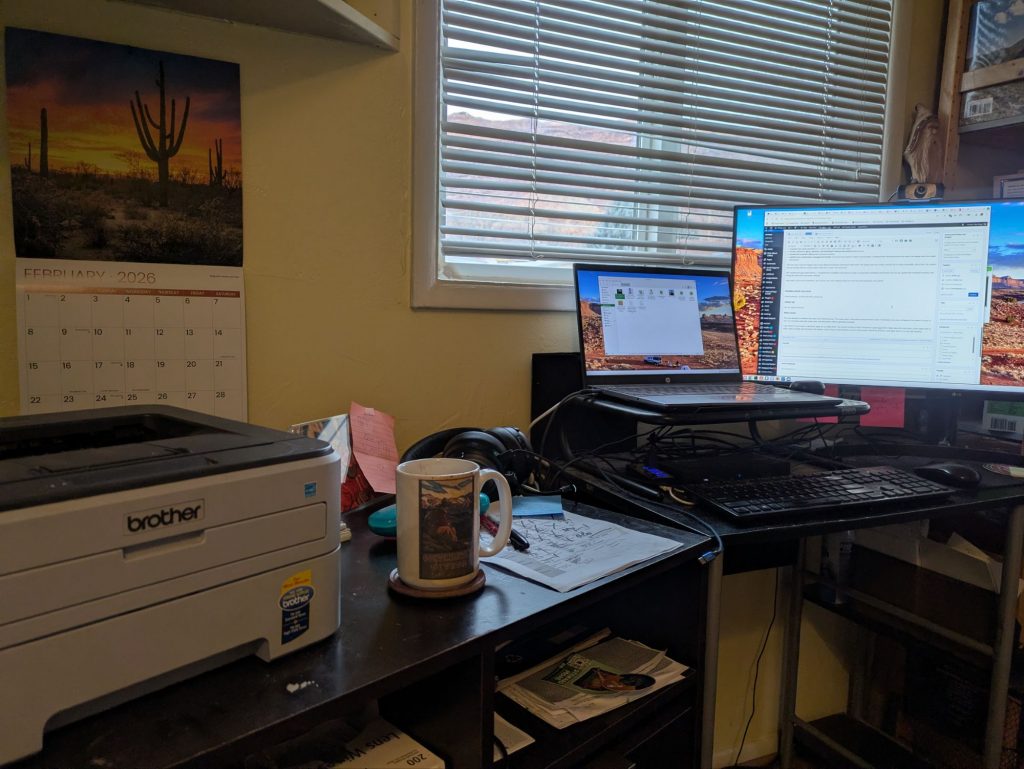
Many months later, I’m quite pleased with the project.
I took an aging, bloated Windows machine and turned it into a capable workstation for processing photos, writing, and even making more mediocre videos!
But the machine still shows its age. Or, more accurately, its origins as a budget laptop designed for relatively modest tasks.
The original OS SSD is nearly eight years old, the battery hasn’t held a charge in years, the trackpad stopped working a while ago, and the keyboard is a little wonky. Processing RAW photos works well enough, though slowly at times.
Ultimately, this project was more of a proof of concept than anything else: Could I use Linux for my everyday computing needs rather than simply as a hobby or technical curiosity?
The answer is an overwhelming yes.
I boot it up, write, process photos, and get things done. It just works.
There are quirks, of course, but I suspect most stem from the machine’s age and modest original specifications rather than Linux itself.
Since I’ve essentially been using the laptop as a de facto desktop for more than two years anyway, I plan to replace it with a dedicated small-form-factor (SFF) desktop in 2027.
A circa-2023 corporate desktop with 16GB of RAM should suit my needs nicely. Businesses routinely replace these machines every three or four years, putting plenty of capable used computers on the market. They’re often less expensive and less sought after than gaming machines or laptops.
I can reuse the data drive I purchased earlier this year, expand storage or memory down the road, and get considerably more computer for the money. I don’t need a high-end graphics card or much portability for my primary workstation. And I’ve already established that Linux Mint Cinnamon works well for what I do.
However, I occasionally miss having a laptop I can actually take places: traveling, writing on the couch, or enjoying other little conveniences. Not enough to justify buying a new one, but enough to appreciate having one around.
Which brings me to what I’ve started thinking of as my Lazarus project: taking supposedly obsolete computers and finding ways to make them useful again.
First up?
With a trip to Wisconsin coming up and some free time on my hands, I decided to take a swing at turning Joan’s 2012 MacBook Pro into a Linux machine.
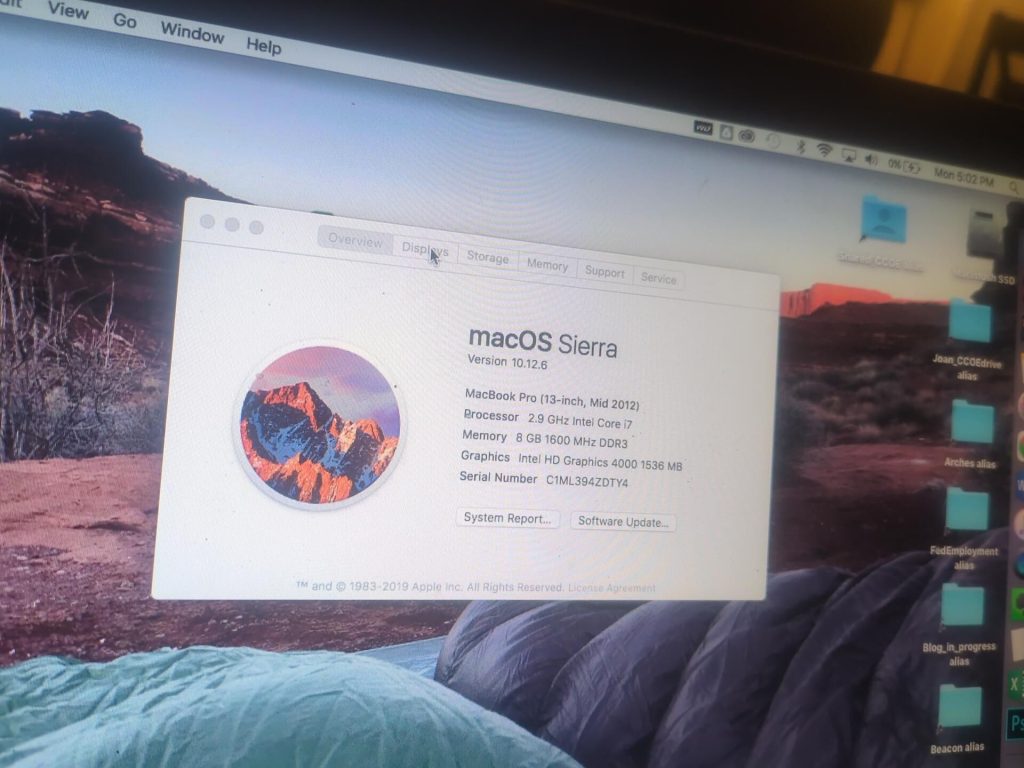
Apple stopped providing updates years ago. The laptop grew sluggish, programs stopped working, and eventually it gathered dust in a closet.
But with 8GB of memory, a solid-state drive, and a decent display, the hardware still had plenty of potential for web browsing, watching the occasional video, and writing.
Why consign a perfectly serviceable computer to the recycling heap simply because the large fruit company no longer supports it?
More importantly, Apple built this particular machine with quality components. Unlike my budget HP laptop from 2019, the MacBook was a premium machine when new, and it shows.
The keyboard and trackpad still work beautifully, diagnostics indicate the battery has plenty of life left, and the aluminum body feels noticeably more substantial than the HP’s plastic construction. The compact 13-inch size makes it easy to carry around, too.
Think of it as an older luxury car with a solid engine and frame. It may lack some of the bells and whistles of newer models, but the underlying machine is still quite good.
With Joan’s permission (I’m stupid, but not THAT stupid. Husbands should not rifle through their wives’ closets and start erasing laptops without permission!), I decided to give the machine a new lease on life.
Enter the “MacinMint.”
I installed Linux Mint XFCE, a lighter-weight version of Mint that still offers plenty of features and a familiar desktop experience.
I chose XFCE over Cinnamon because of how I typically use a laptop. My primary workstation often has multiple programs and windows open as I juggle photos, writing, file management, and other tasks. On a laptop, I’m usually doing one thing at a time: writing, browsing the web, or watching a video.
XFCE offers a simpler, lighter desktop experience that suits those needs nicely. And on an older machine, a little less overhead certainly doesn’t hurt.
I won’t bore you with (more) technical details, but within four hours, I’d turned an “obsolete” laptop into a useful little computer.
I knew the experiment would work.
What I didn’t expect was just how well it would work.
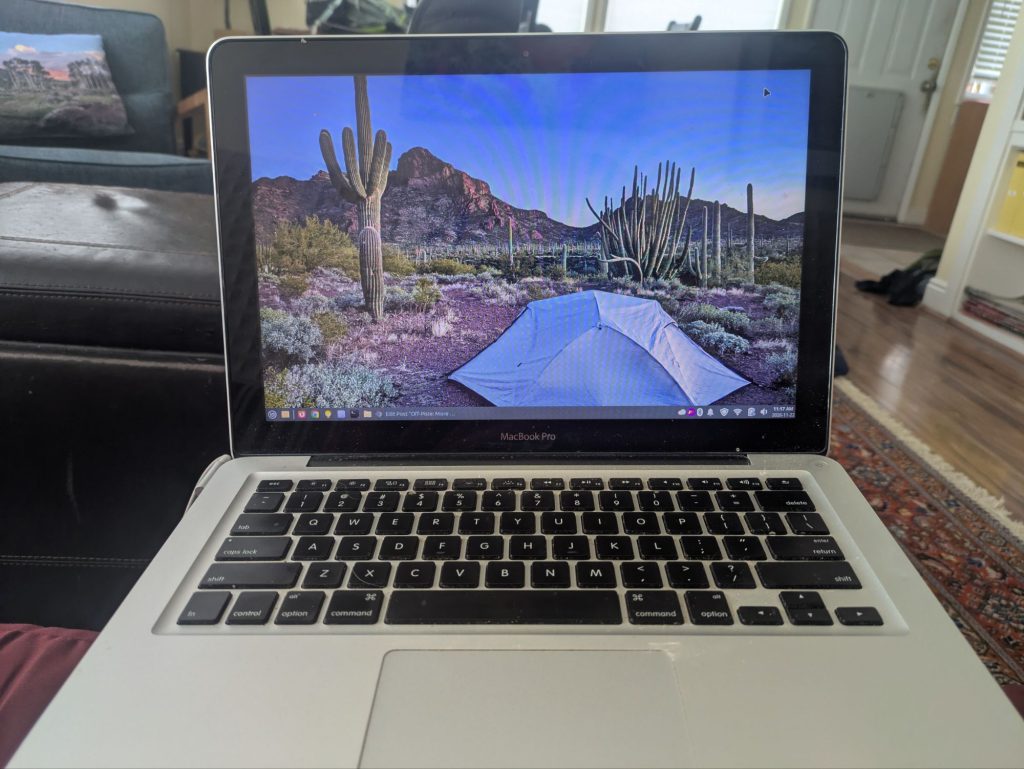
A MacinMint!
The machine feels surprisingly quick and responsive. It’s a genuinely useful computer, not merely another technical curiosity.
I’m not going to process hundreds of RAW photos on it, and a large monitor still makes more sense for dedicated workstation tasks. But for watching videos, browsing websites, and writing (including this very article!), it’s working like a champ. I even get about three hours of battery life.
I kept the peripherals simple, too. Rather than bother with Bluetooth earbuds, I opted for an inexpensive wired pair that uses the standard 3.5mm headphone jack. Plug them in, and they work. The built-in webcam and microphone also work well, so I can handle the occasional video call.
No complicated configurations or fancy accessories needed. Just a functional little laptop.
Not bad for a 14-year-old computer that might otherwise have ended up in the recycling pile.
On to the next project…
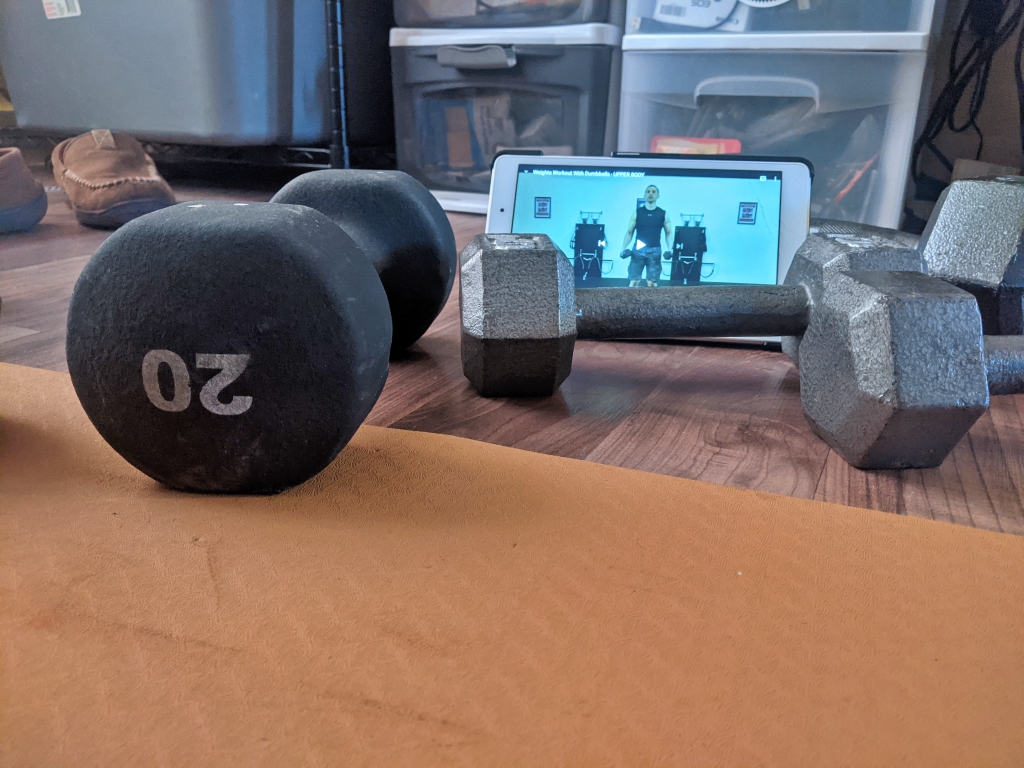
Using it for exercise videos back during COVID.
Emboldened by the success of my MacinMint project, I turned my attention to a 2019 Samsung tablet I hadn’t used since 2023.
Even back then, the tablet struggled. It felt sluggish, apps bogged down, and Samsung had stopped supporting it.
My needs hadn’t changed much. I still wanted a modest device for watching locally stored exercise videos, streaming YouTube workouts, reading books, and doing some light web browsing.
But the operating system and increasingly bloated apps overwhelmed the tablet’s modest 2GB of RAM. Eventually, the tablet became nearly unusable.
LineageOS offers a free, open-source Android replacement that can give older tablets and phones a new lease on life. Its relatively lean, customizable approach appealed to me, especially for hardware with limited resources.
Unlike desktop Linux, which has become reasonably straightforward to install and configure, installing LineageOS takes a little more work.
You’ll need some comfort with the command line, a willingness to work through steps that aren’t always intuitive, and some familiarity with less mainstream software sources. You’ll also need to research whether your particular device supports LineageOS and how to configure it for your needs.
In other words, it’s still something of a geek project, though one with practical results if it works out.
If you want to get into the weeds, this article explains the process rather well.
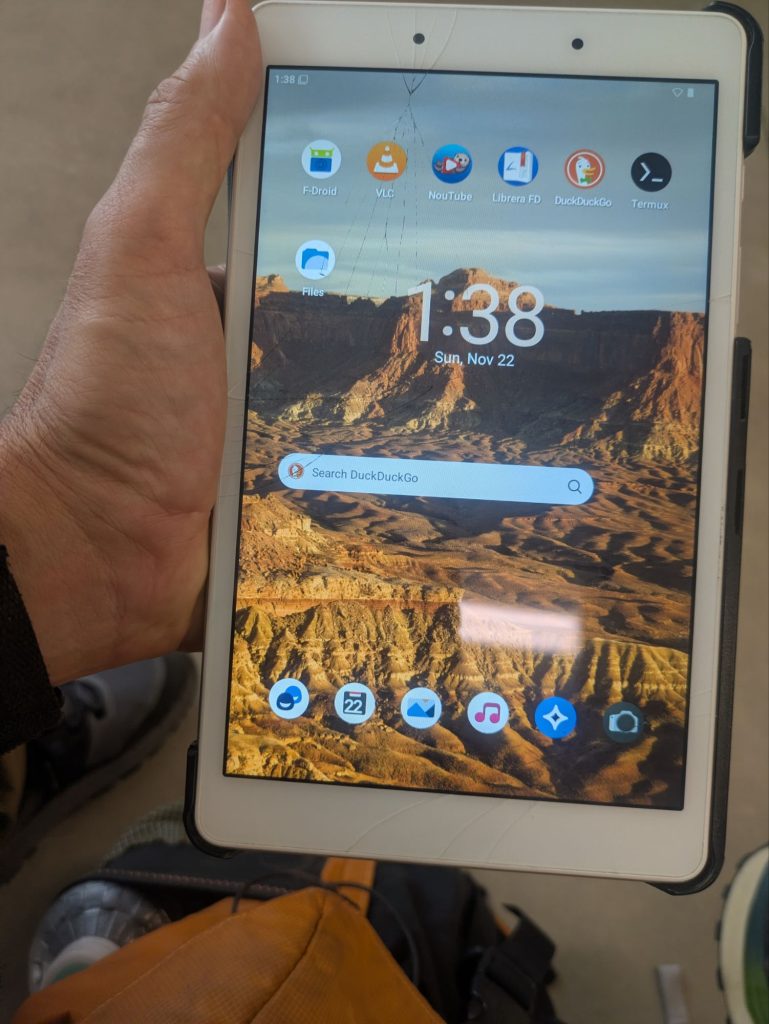
After another few hours of tinkering, I had a functional tablet again.
I could read books on a screen larger than my phone, watch locally stored videos through VLC, stream the occasional YouTube video, and browse the web without waiting for the digital equivalent of paint to dry.
Admittedly, this solution isn’t for everyone. You’ll need at least intermediate technical skills, especially if you’ve never flashed an Android device before.
You’ll also likely get many of your apps through the F-Droid ecosystem rather than the traditional Google Play Store. Put simply, F-Droid is a repository for free and open-source Android apps.
You can install Google Play services and use the Play Store on supported configurations, but that adds complexity and potentially more overhead. For my purposes, I wanted to keep things as lean and simple as possible.
After all, the point wasn’t to recreate a modern, full-featured Android tablet. I wanted to make an older device useful again for a handful of straightforward tasks.
In my case:
- Read EPUB books from sources outside the usual commercial ecosystems using Librera.
- Stream YouTube videos through NouTube without needing the official YouTube app.
- Watch locally stored videos through VLC. I can transfer files using a USB cable or an SD card reader. Bluetooth is another option, but I’d rather keep things simple.
- Do some light web browsing. The built-in browser runs quickly and uses few resources. For the occasional website that doesn’t display properly, the DuckDuckGo browser works well enough, even if it isn’t quite as snappy.
- Access Gmail, Google Drive, social media, and other online services. For occasional use, the mobile versions of these websites work perfectly well without dedicated apps.
Again, I’m not trying to replace my laptop or phone. I want a simple media device with a little more versatility than a dedicated e-reader.
For those purposes, the experiment succeeded.
I read a book, watched a few YouTube videos, tested VLC with exercise videos I’d copied over, and checked my email. Nothing particularly demanding, but everything I wanted the tablet to do.
Another device resurrected in time for Thanksgiving travel!
As a bonus, Joan has wanted a tablet for a while, mainly for reading and some occasional online use. But she couldn’t justify spending much on something she’d use only occasionally.
Well, since she’s married to a longtime IT geek, I figure a used tablet with 4GB of RAM for around $85 should suit her needs nicely. Joan’s intrigued, and I’m happy to get one running for her.
In the end?

IT Monkey. Original source lost long ago.
These projects remind me of how I approach backpacking gear. You don’t always need the shiniest new thing to get the job done, whether you’re writing on a travel laptop, reading a book on a tablet, or walking through the mountains.
Sometimes good enough is good enough.
But something else came out of these projects, something I didn’t expect.
They reminded me of the 12-year-old kid who loved tinkering with computers.
A formidable Catholic school nun recognized that interest and insisted my parents get me a Commodore 64.
From there, I tinkered, built, stumbled, and learned. Along the way, I developed a way of thinking and solving problems that eventually served me well in an IT career.
That career, in turn, helped fund my outdoor jaunts. It was a trade: working in a field that interested me while pursuing the things I loved doing outside.
But after more than 20 years in IT, I lost some of that original spark. What once fascinated me increasingly became another job, complete with deadlines, demands, and frustrations.
And my experience at my last IT job burned me out.
Now, free to pursue projects on my own terms and without supporting too many people, too many demands, and a far-flung, aging infrastructure, I rediscovered something I’d largely forgotten.
I enjoyed the challenge of figuring things out. I enjoyed taking supposedly obsolete equipment and making it not just functional again, but genuinely useful in my everyday life.
More than that, I enjoyed tinkering for the sake of tinkering, without a ticket queue, a deadline, a meeting, or someone waiting for me to fix their computer, restore a network, or rebuild an entire IT infrastructure.
For years, technology increasingly felt like something that got in the way of the things that brought me joy.
These little Lazarus projects reminded me that technology itself once brought me joy, too.
I rediscovered the spark of my 12-year-old self.
I found joy, not drudgery.